This tutorial applies only to our UbikeyOffice touch interface.
The Drawing Tool
The Drawing Tool allows you to draw freehand on the background of your document.
Drawing is not available on table, planning, or KPI documents.
Switching to Drawing Mode
The background of your document has three interaction modes:
- Move : dragging the background moves the view; pinching zooms the view.
-
Locked: no interaction is enabled on the document background.
- Drawing: dragging on the background uses the tool selected in the drawing menu (brush, highlighter, eraser).
By default, documents open in Move mode.
To change the mode, click the tab on the left side of the toolbar.
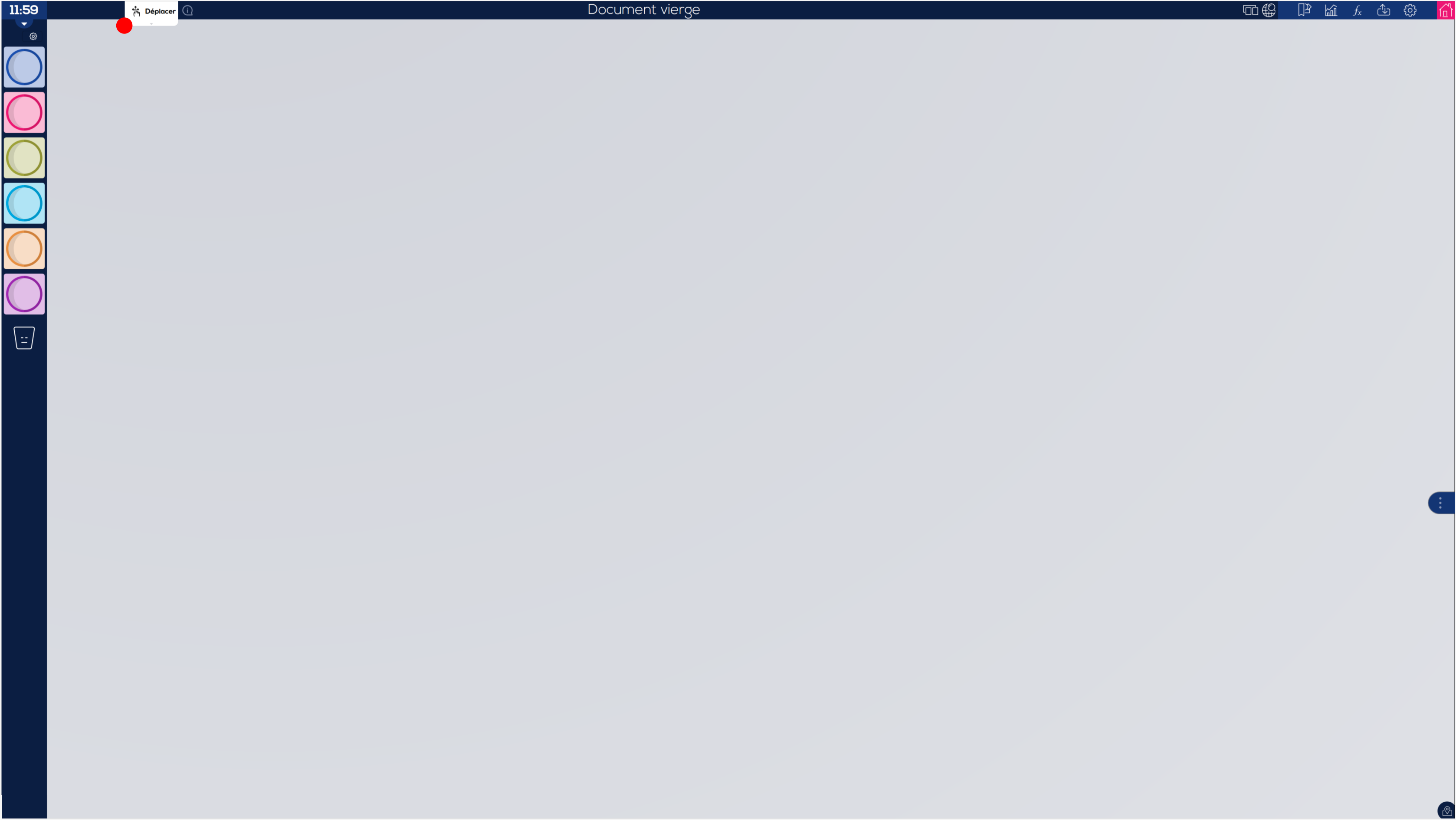
Then select the Drawing Tool.
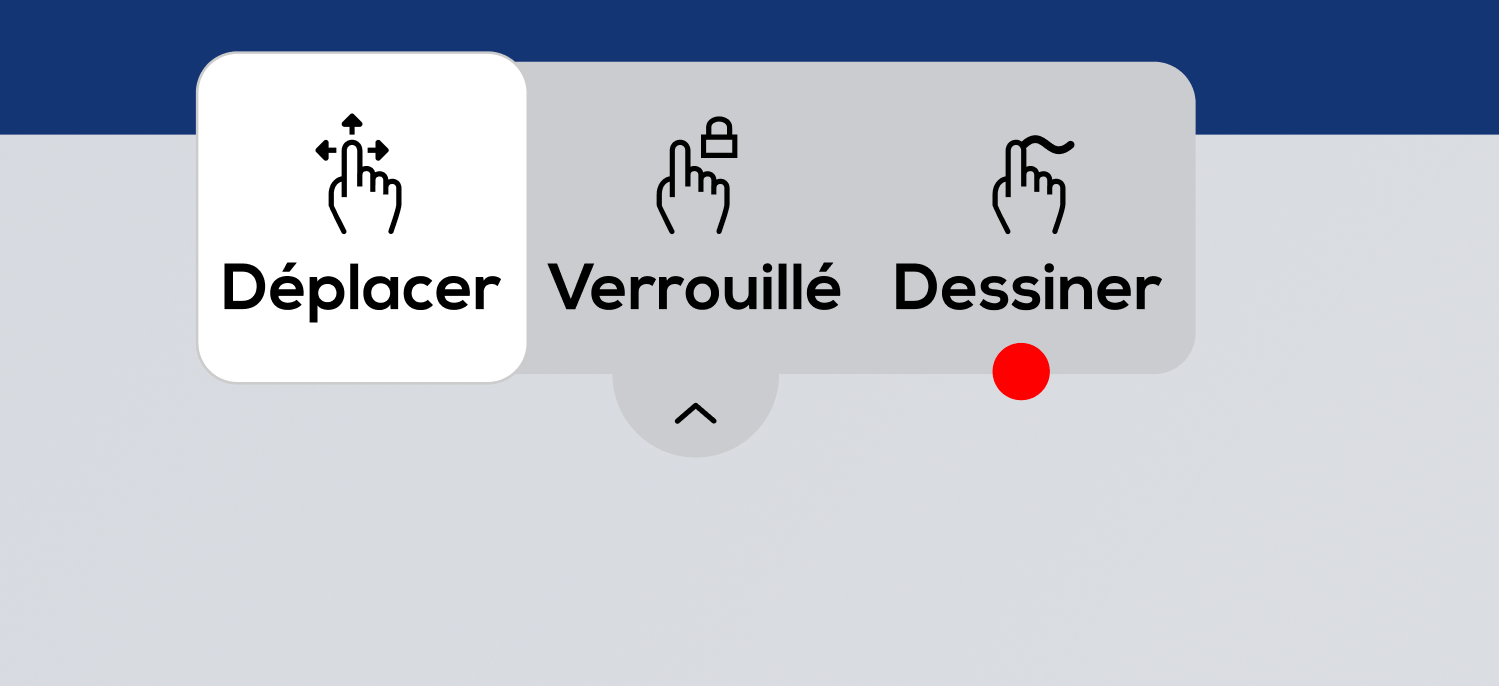
You can now draw on the background of your document using the tool selected in the drawing menu.
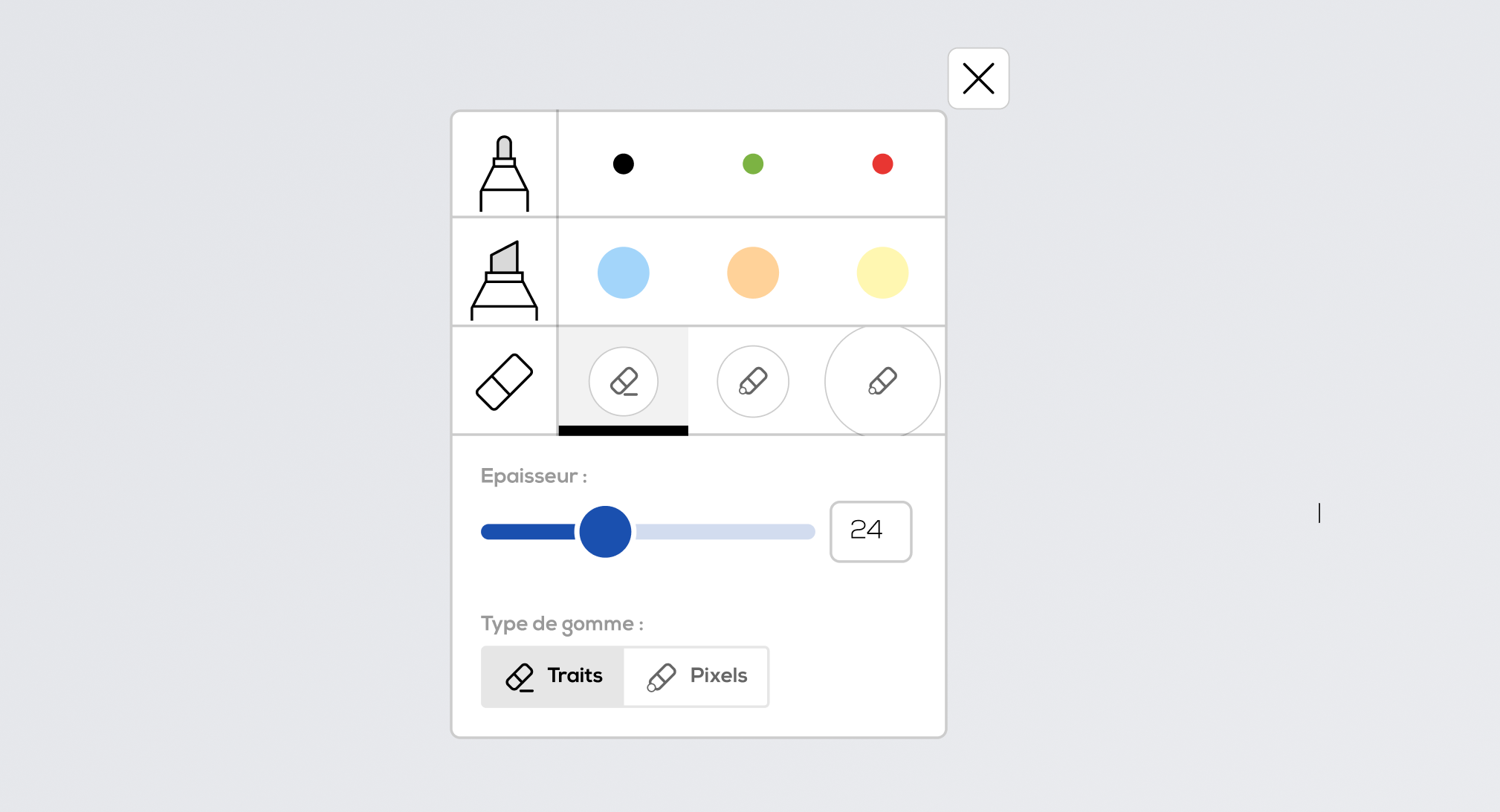
Besides, the drawing menu opens :
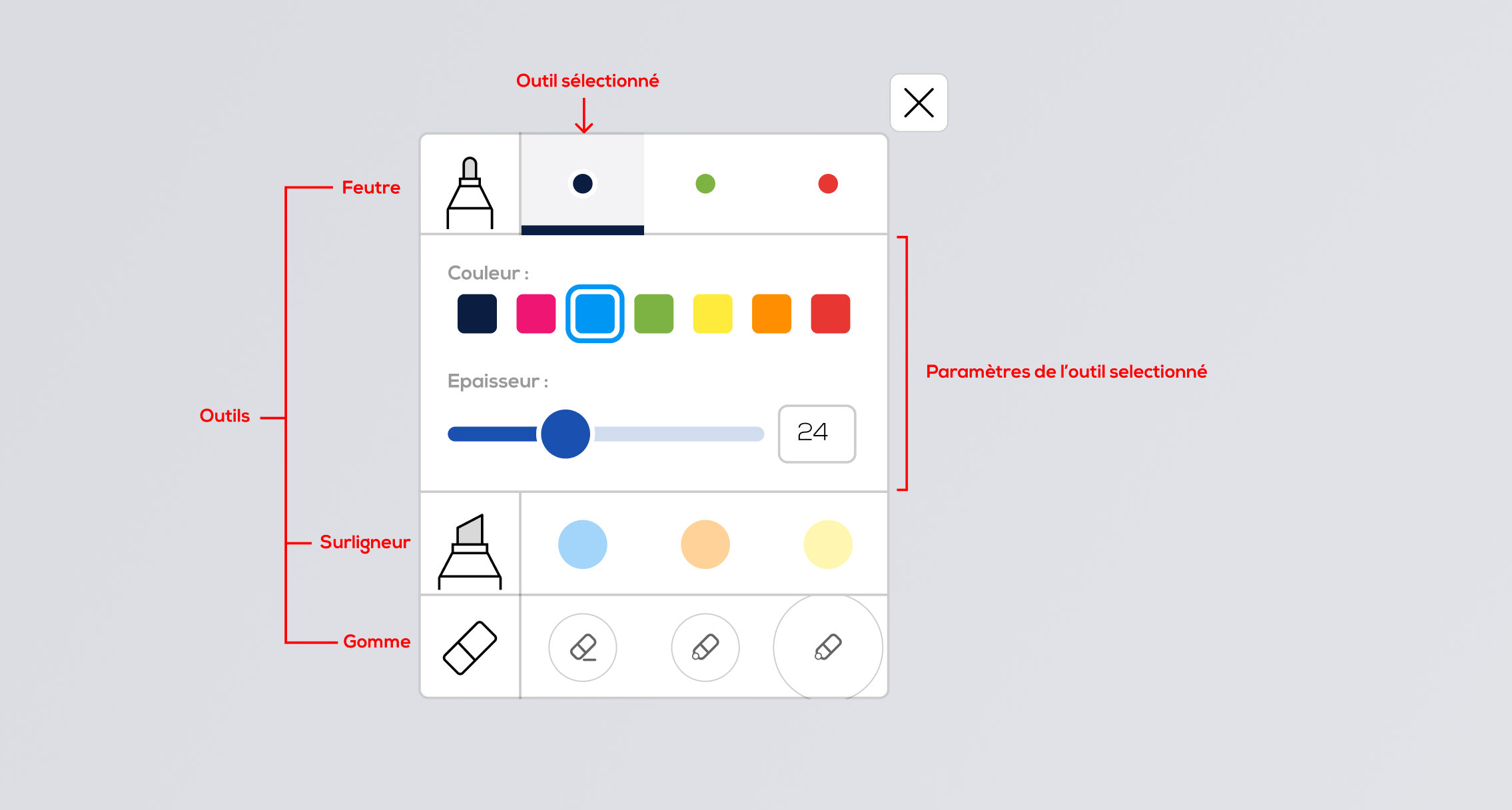
- Change the selected tool by clicking on the tool preview.
Three presets are saved per tool. - Adjust the settings of the selected tool (here, for the marker: its color and thickness).
Tool-specific settings :
Highlighter tool: color, thickness, and opacity.
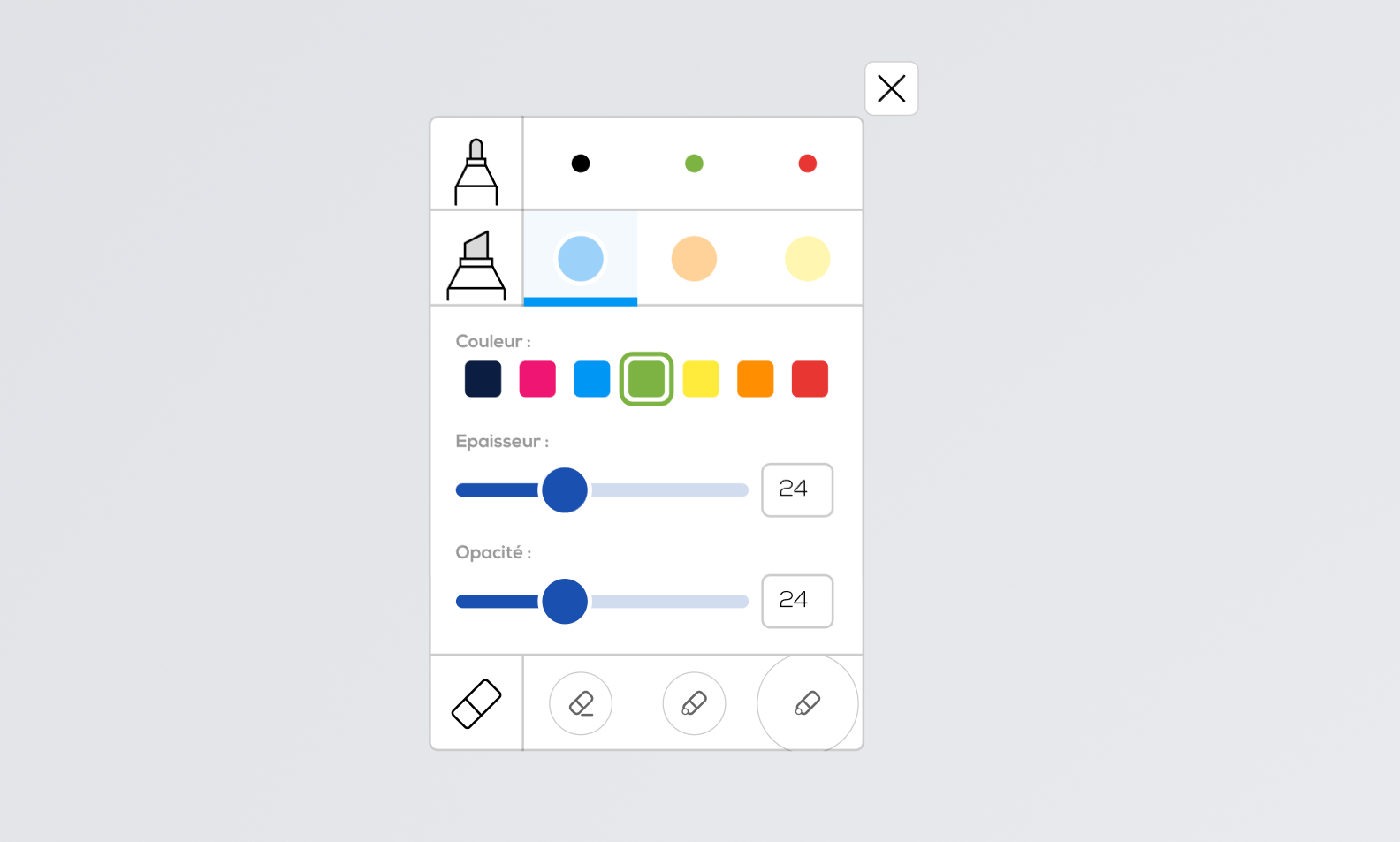
Eraser tool: thickness, and either: Stroke mode (erases the entire stroke) or Pixel mode (erases only the pixels under the cursor).
To exit drawing mode:
-
close the drawing menu, or
-
change the mode directly from the tab.
.
